


How to Register for Live Online Classes at Veritas
Did you know you can register for live online classes with Veritas on your own? If you know which courses you want, you don’t need to wait (and possibly miss out on a popular section)! This guide will walk you through the six steps to register for class.
Returning family? Jump to Already a Veritas Family.
Before You Start
A few minutes of prep now will save you time later. Here’s what you’ll need:
- A separate email address for your student. Their email can’t be the same as yours.
- A payment method decision. You can pay by credit card or bank account.
- Join the Rewards Club before registering if you plan to use it. The discount must be applied up front.
- A rough course shortlist. You don’t need a finalized schedule, but knowing which courses and time slots interest you will make the catalog step faster.
Step 1: Create Your Account
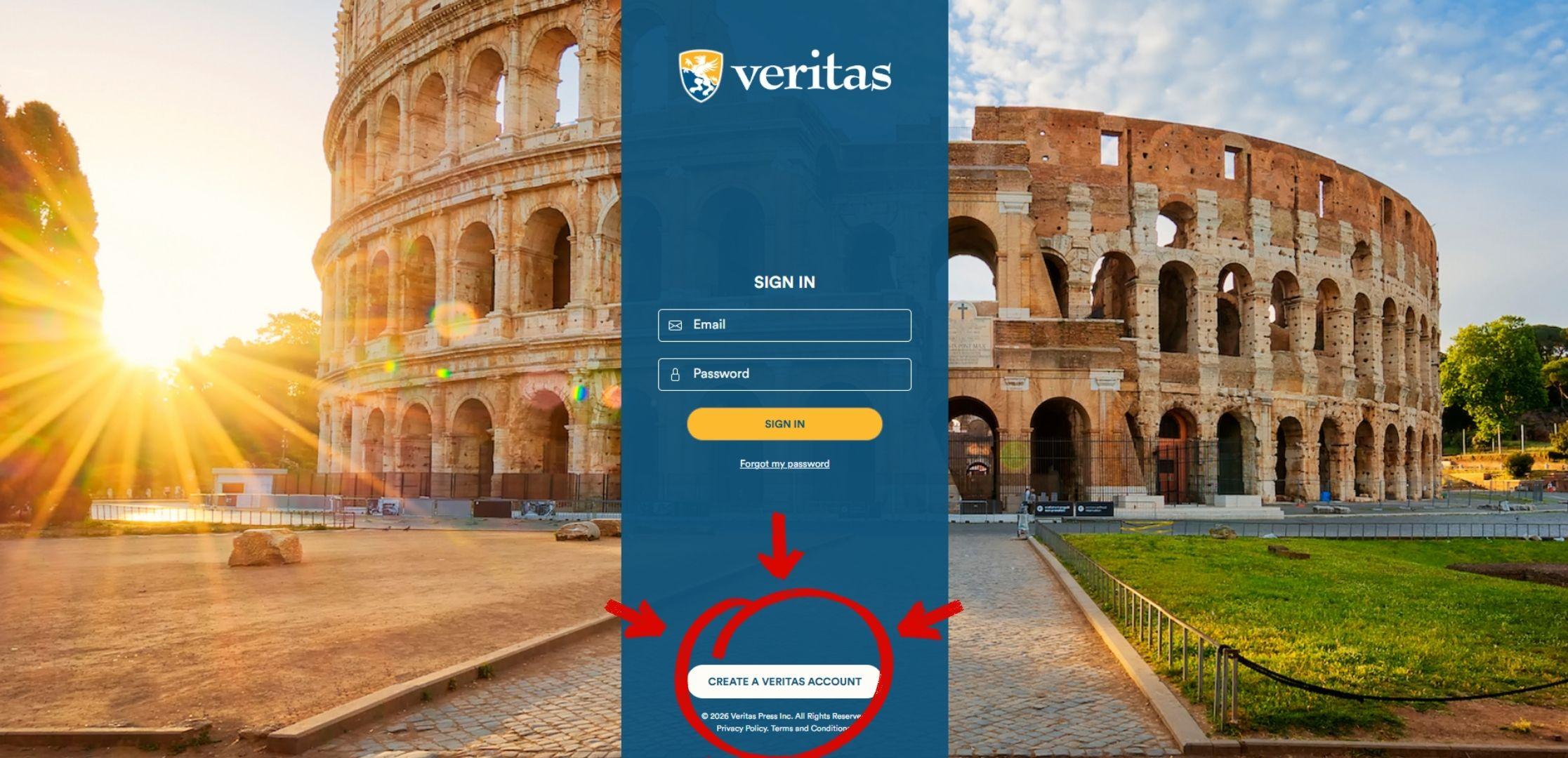
Go to https://login.veritaspress.com/ and click Create Account.
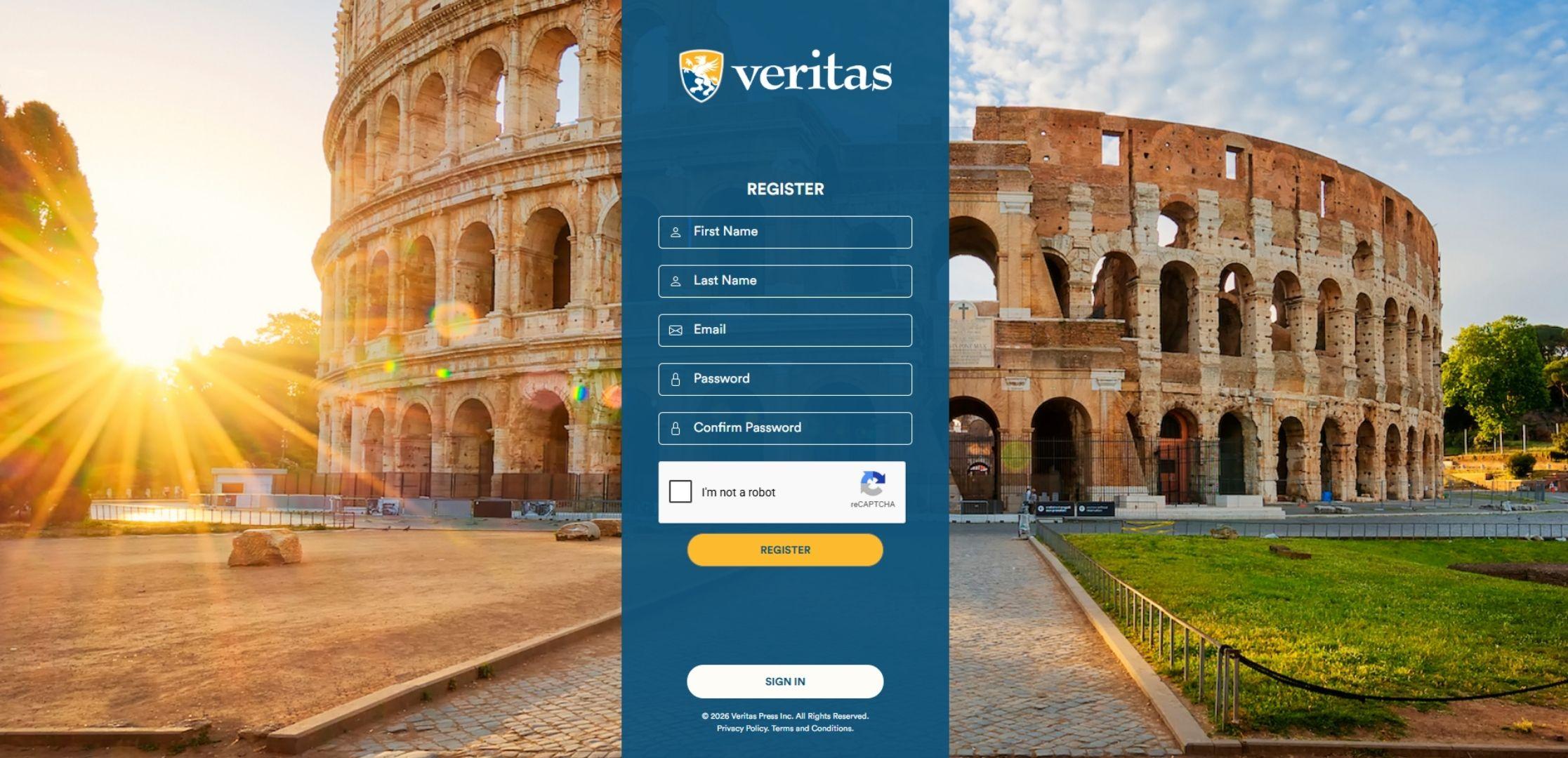
You’ll need your name, email address, and a password. Confirm you're not a robot, and click Register.
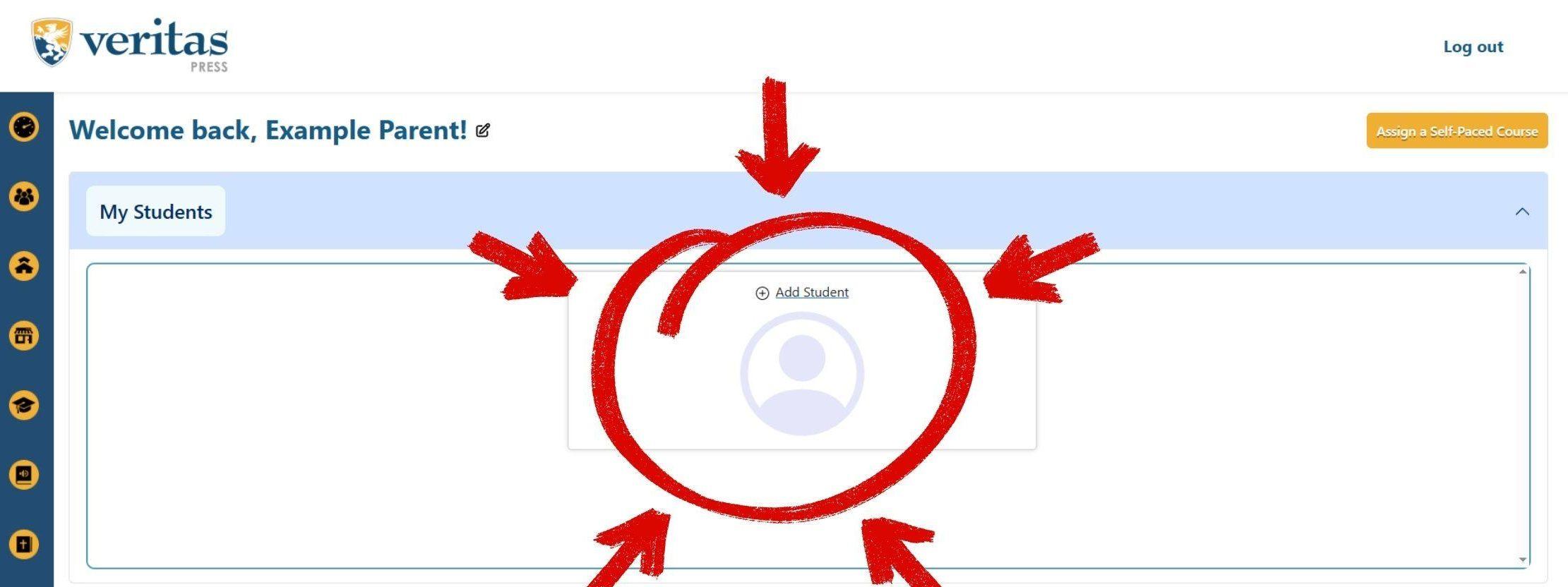
Once registered, you’ll land on your Veritas dashboard at https://dashboard.veritaspress.com/.
Recommended: Don’t head to the catalog to search for classes just yet. Complete Steps 2 and 3 here first.
Step 2: Add Your Student
In the My Students section of your dashboard, click Add Student.
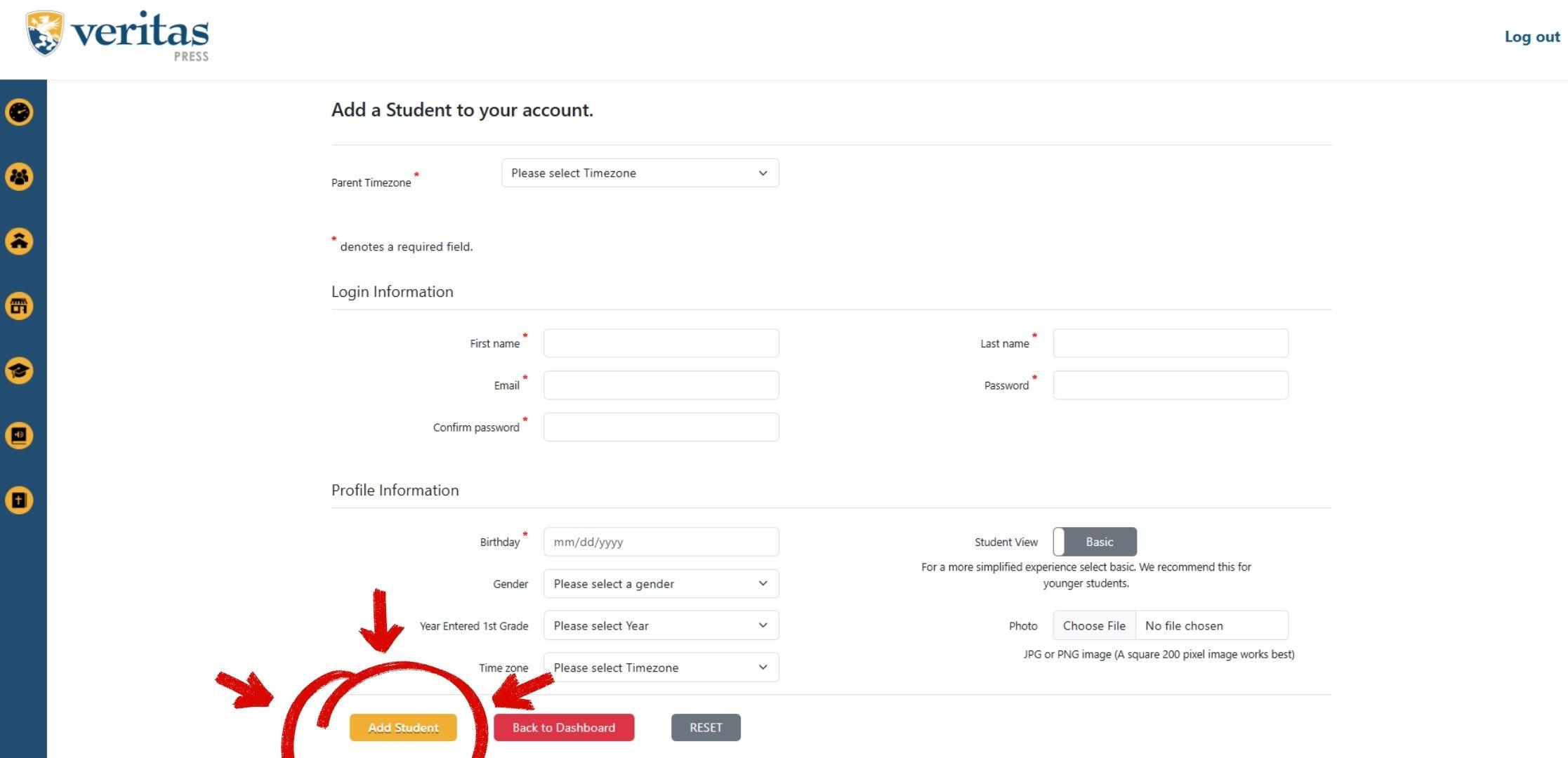
Then fill out the form.
Two notes:
- You’ll need a separate email address from your student.
- You can select your student’s dashboard settings with “Student View.”
Click Add Student when done.
Step 3: Save Your Payment Method
Next, take a moment to sign in at https://vpsa.veritaspress.com/person/sign_in. (This will sign you in to our catalog system.)
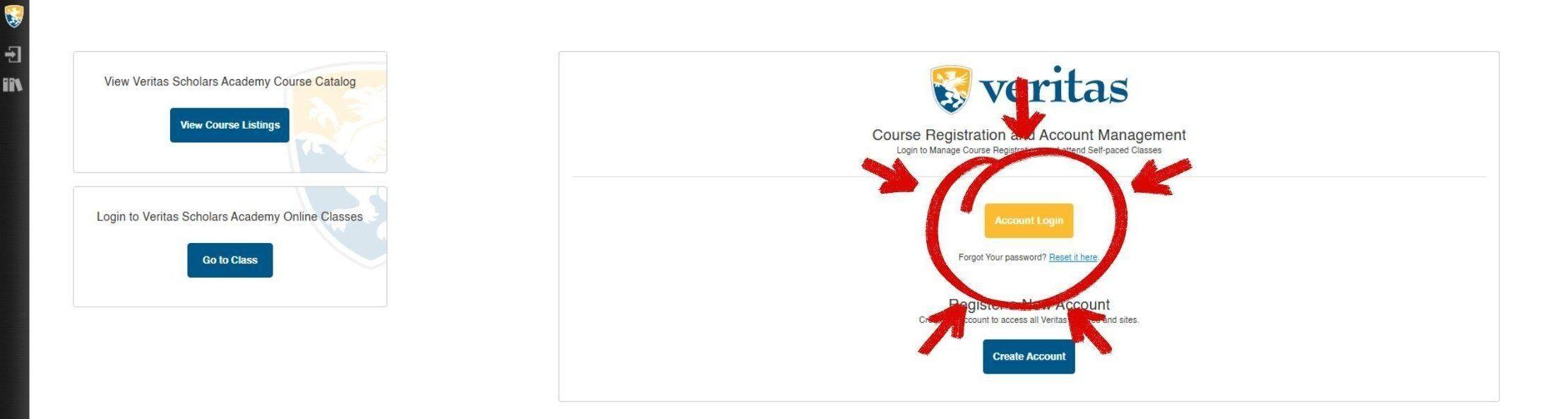
Set your time zone, and click Continue.

Then, add your payment method at https://vpsa.veritaspress.com/payment_methods.
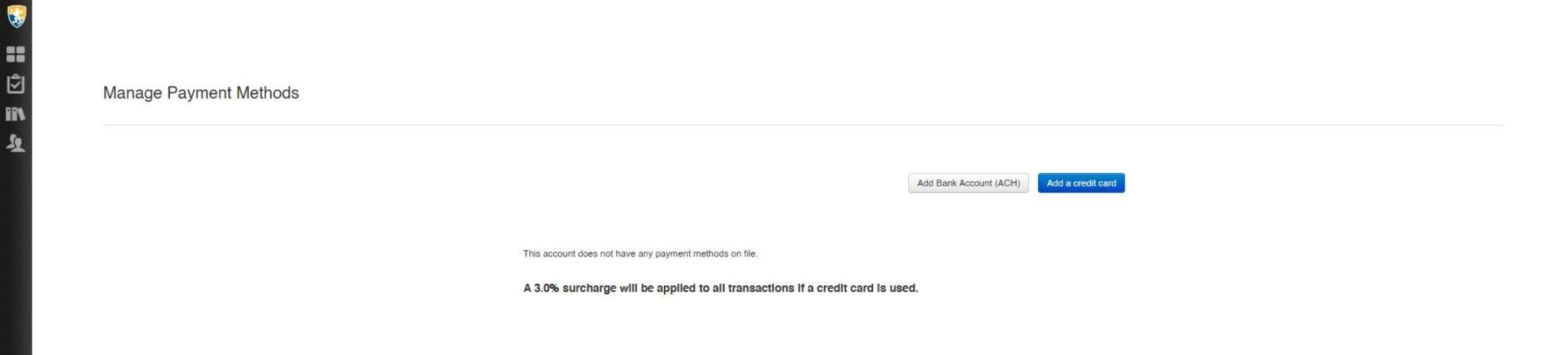
Saving your payment method now means you won’t have to enter it while a 45-minute registration clock is running.
Helpful tip: Bank account (ACH) payments avoid the 3% credit card surcharge. Additionally, paying in full saves $25 per course, and Rewards Club members can receive additional discounts. See the details below.
Step 4: Browse the Course Catalog
Go to https://vpsa.veritaspress.com/catalog.
Set your filters:
- Academic Year—select the current school year
- Grade Level—Grammar (roughly grades 1–6) or Secondary (roughly grades 7–12)
- Term—choose your session from the left sidebar
- Show Self-Paced—uncheck this if you only want live courses
- Subjects—all are selected by default; uncheck any you don’t need
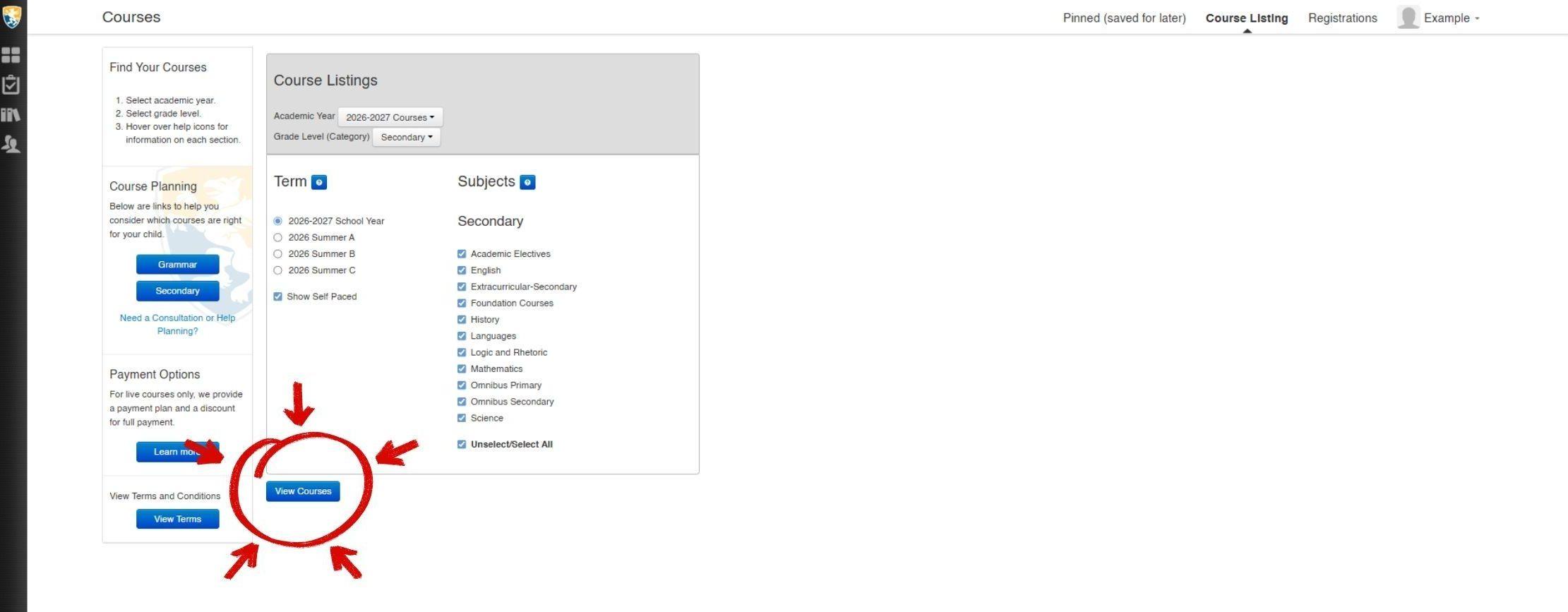
Click View Courses when ready.
Not sure which courses fit your student? These course planning charts can help. They're intended for the full Diploma Program, but they're also useful guides for anyone planning to take live online classes part-time or à la carte. For elementary students through sixth grade: Grammar School Requirements (K-6th). And for middle and high school students: Secondary School Requirements (7th-12th).
Step 5: Find Your Course and Register
Courses are listed alphabetically. Click any course to expand it. Each course shows the course description, materials, prerequisites, price, syllabus, and sample classes. And below the course, you can find days, time, teacher, and availability for individual sections.
When you’ve found your section, click Register/Pin. Courses that are currently full will show Waitlist/Pin.
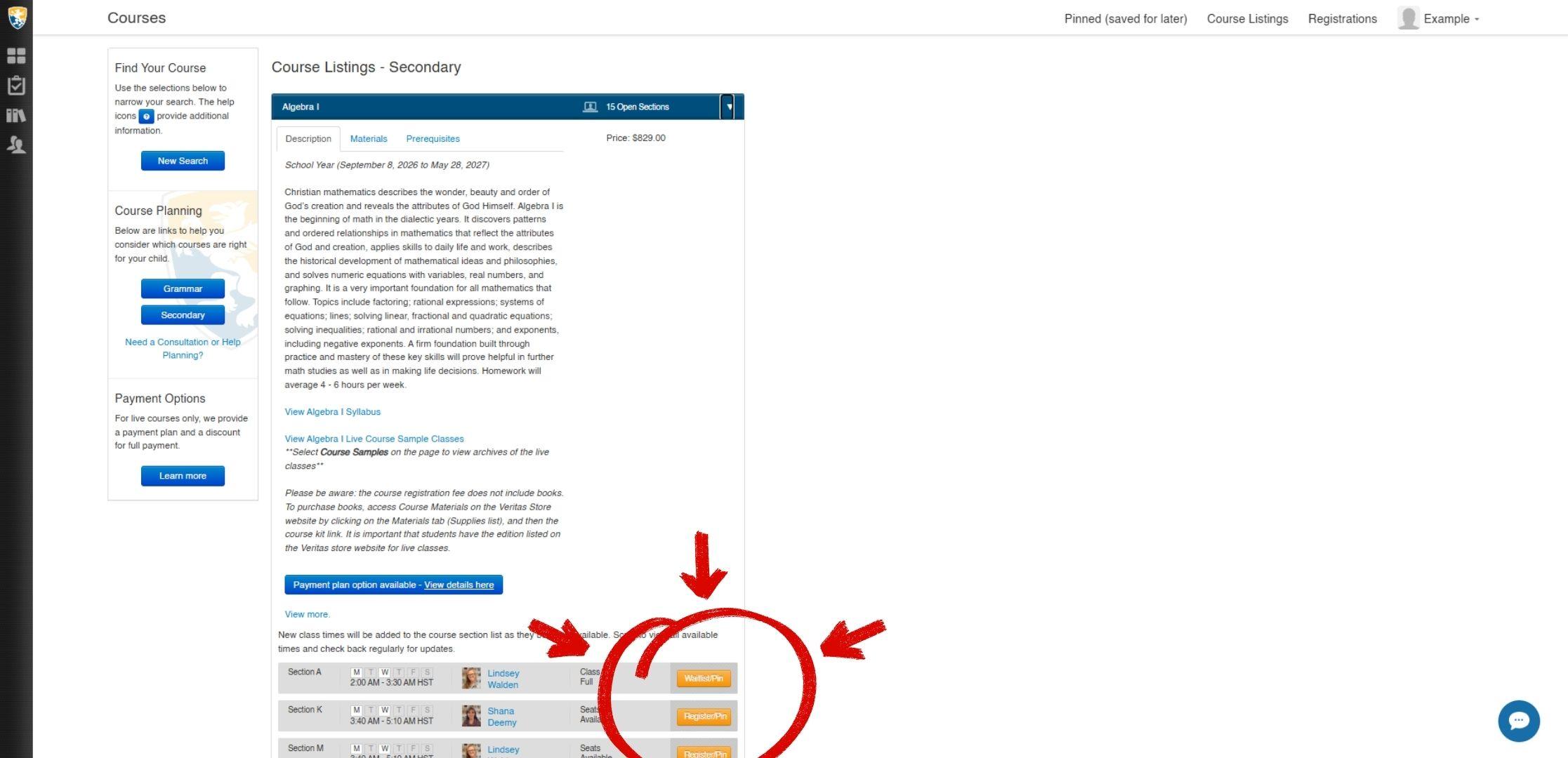
Two things to know before you register:
Pinning saves a section for later without holding a seat, which is useful when you’re building a multi-course schedule before committing.
The 45-minute hold. Once you click Register, your seat is held for 45 minutes. Make sure you’re ready to complete payment before you start.
A confirmation modal will appear. From there, you can:
Step 6: Complete Payment
The payment screen shows a summary of your registrations and any applicable discounts. If you saved your payment method in Step 3, it will appear here automatically.
If you’re paying in full, the $25 per course discount applies automatically. Review your total before confirming. Nothing is charged until you do.
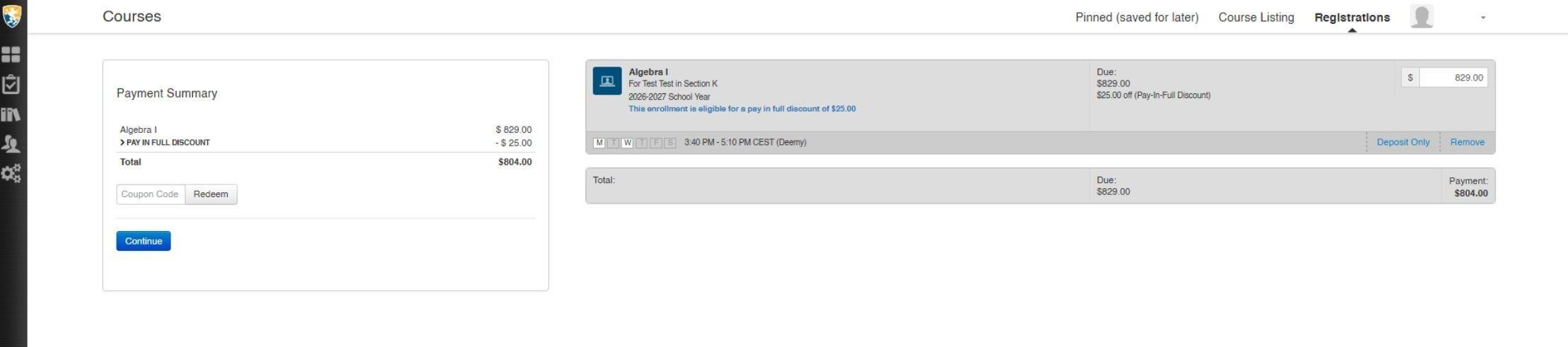
Once you confirm, you’re registered. A confirmation email with your enrollment details will arrive shortly.
Payment Options and the Rewards Club
Pay in full vs. payment plan. Paying in full at registration saves $25 per course. A payment plan is available for live courses. See full terms.
Credit card surcharge. A 3% surcharge applies to all credit card transactions. Bank account (ACH) payments avoid this. You can set your preferred payment method at vpsa.veritaspress.com/payment_methods.
Rewards Club. Members receive $100 off the last payment when enrolling a student in four or more live courses on a payment plan (or $100 off if paying in full for four or more courses). You must join before registering—the discount can’t be applied retroactively. See Rewards Club terms.
What Happens Next
Check your inbox for a confirmation email with your enrollment details. Your student will log in through their own account to access classes.
Still Have Questions?
For technical help: info@veritaspress.com
For course selection, academic planning, or anything else: schedule a free call with a Family Consultant.
Already a Veritas Family?
If your student profile and payment method are on file, registration is straightforward:
- Go to vpsa.veritaspress.com/catalog and log in
- Find your course
- Click Register/Pin on the section that fits your schedule
- Select your student, confirm, and complete payment
Done! Confirmation email follows shortly.
Need to update your student’s information or add a new student? Do that in your dashboard at dashboard.veritaspress.com before registering.
Have questions? Talk to an expert for free!
Our Family Consultants are here to help! Fill out the form below to schedule a quick call for free.