

How Do We Stay Connected with Schoology?
Are you unsure about online classes and worry your child will be in a Zoom-like classroom with distractions? Do you wonder how teachers will communicate with you and how your child will be able to make connections with other students?
At Veritas, we use Schoology, a learning management platform that connects teachers, students, parents, and administrators in one spot.
Student Login
All students have their own login credentials linked to their specific classrooms.
Depending on their grade, they have access to additional groups and message boards.
Students can see all their information in one spot on the main page or switch between their classes to see the individual classrooms and information specific to that class.
Classrooms provide announcements from teachers, discussions with students in the class, links to materials, upcoming assignment information, classroom access (and course archives access!), and they can even see their grade book!
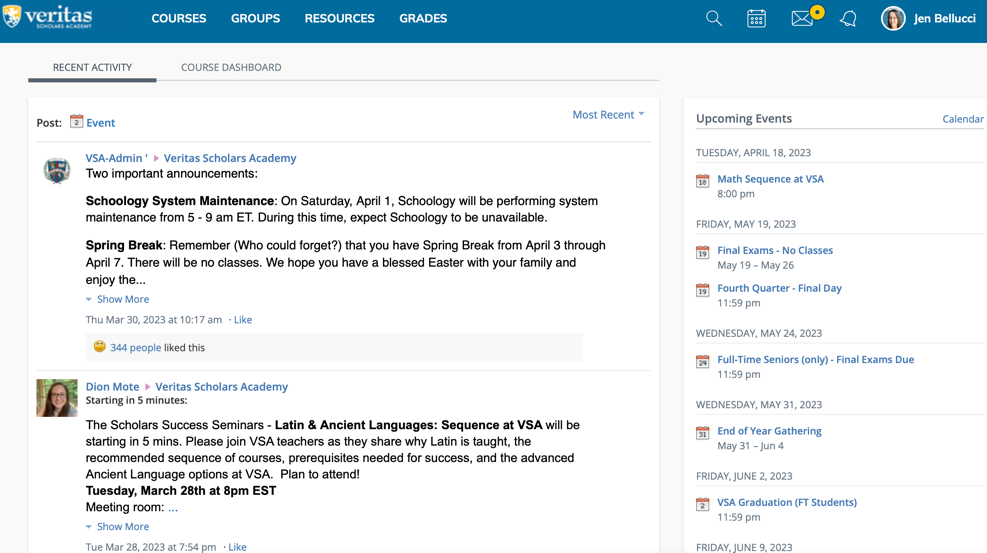
Parent Login
You also get a login! Your login has a main page with information relevant to Veritas parent groups and gives you the opportunity to switch between your students to see information on their page.
Accessing these Features
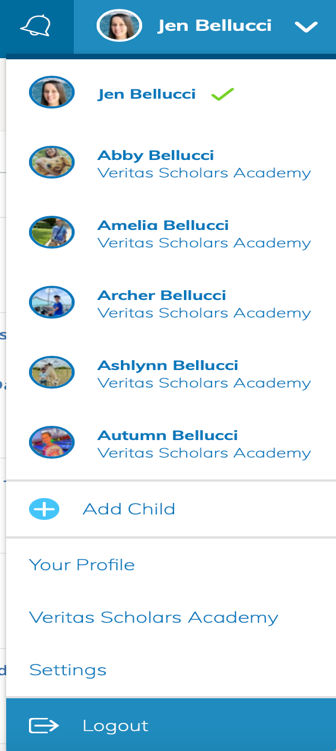
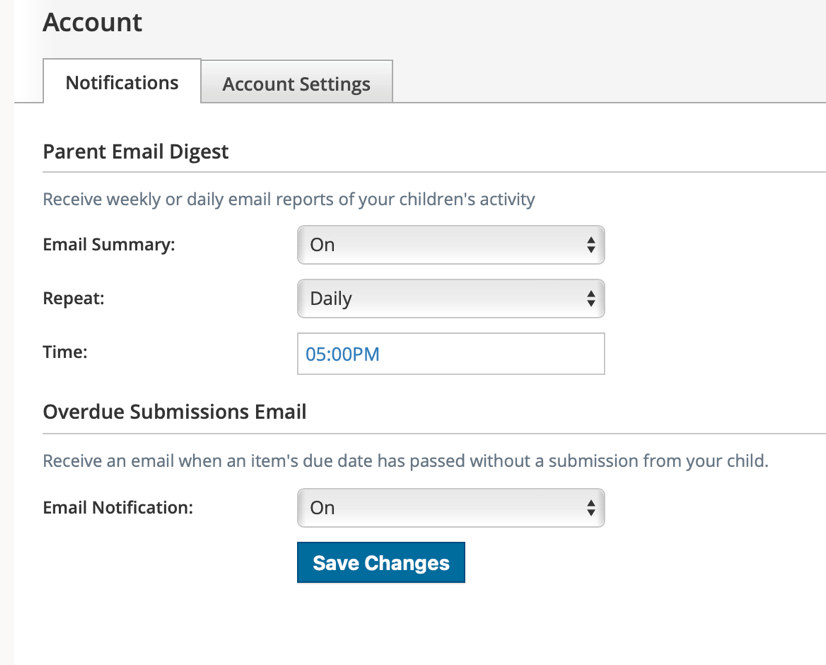
Once you are at this drop-down menu, click “settings.” Here you’ll find your personal account. Hover over notifications and select to receive a parent email digest. This can be set to send as updates occur, daily or weekly.
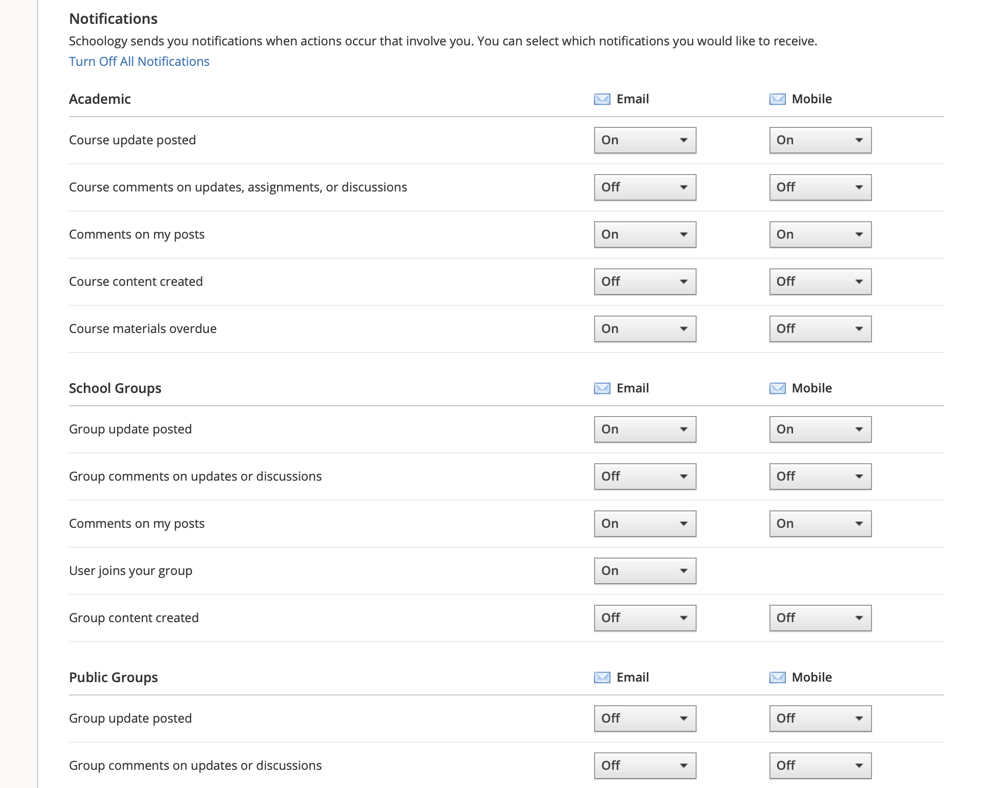
You can also select which notifications you want and receive these via email AND text message. I find it helpful to have group comments turned “off” because you’ll be notified of every reply if left on.
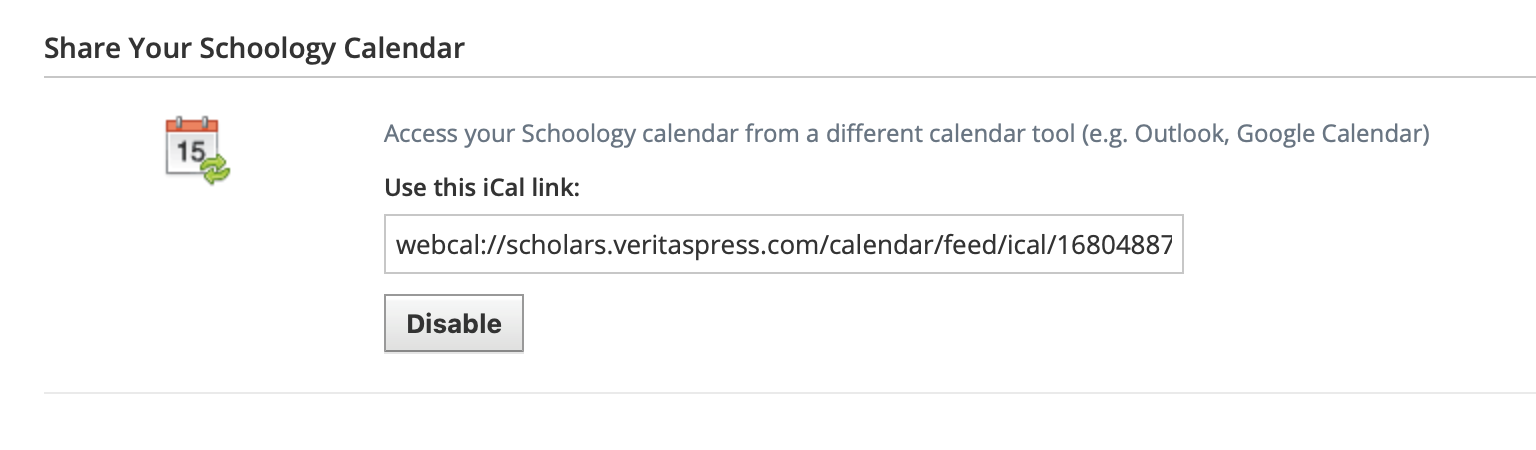
Sync your child’s calendar to your iPhone!
Go to Account Settings, and scroll to just below your name, email and time zone! Here you’ll find your individual cal link and subscribe to the calendar. This will show you all the Veritas Calendars. If you log into your student’s account, you will find they also have their own calendar links. You can both use the calendar link to sync to your phone and theirs for daily updates!
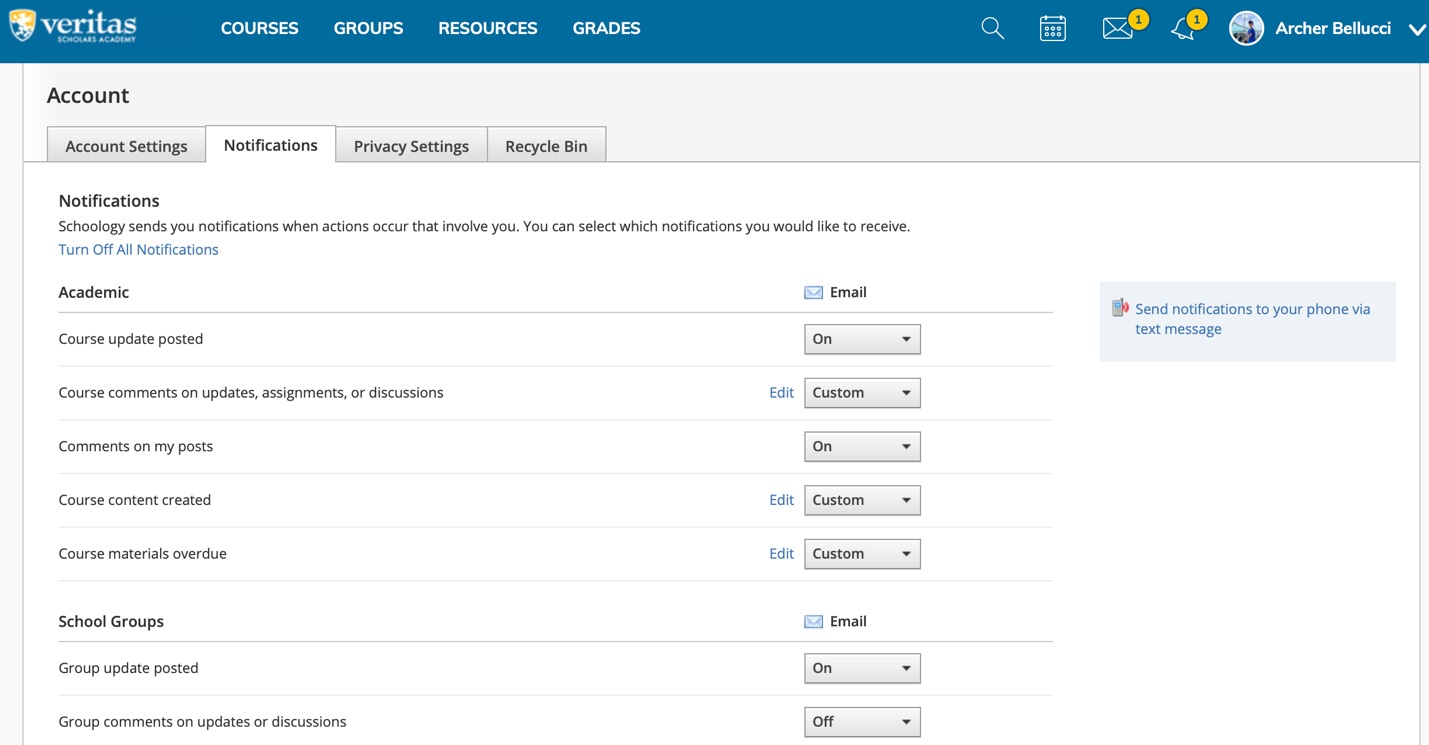
Under your student’s account, you can update their notifications to their email and set up texting notifications for course updates, teacher emails, etc.!
Have questions? Talk to an expert for free!
Our Family Consultants are here to help! Fill out the form below to schedule a quick call for free.